Navigation Menu / Setup / Simple Setup / Cycle Manager
How to add someone to a cycle
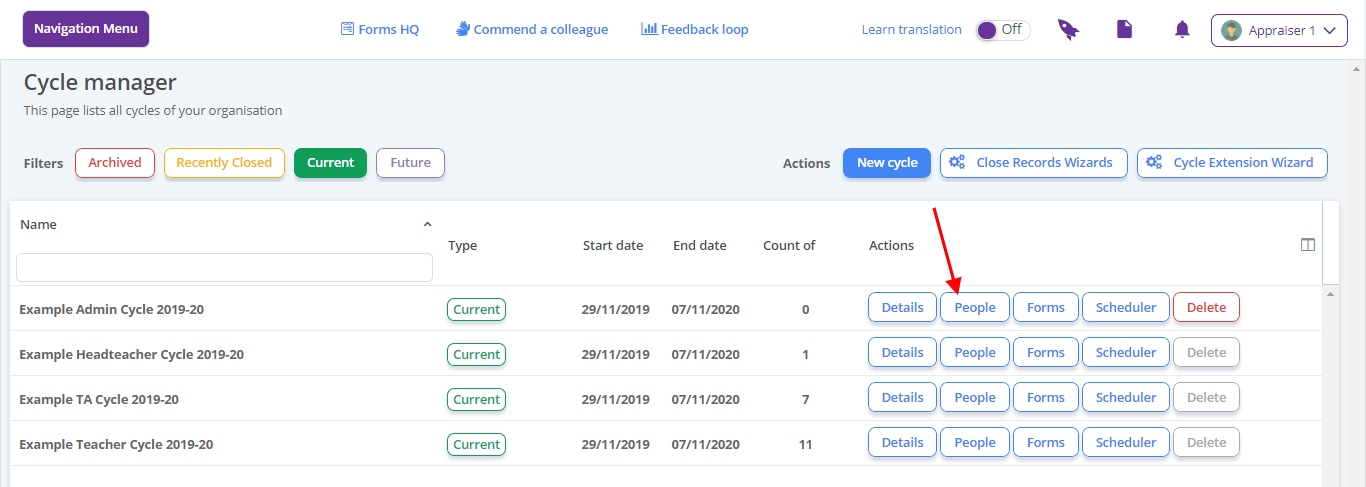
- Locate the cycle and click People
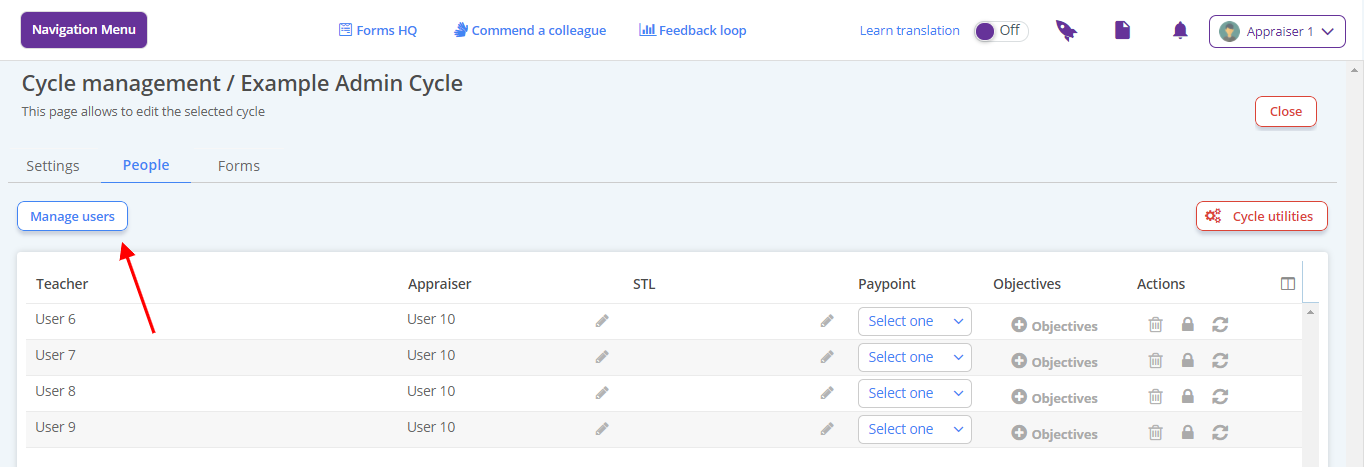
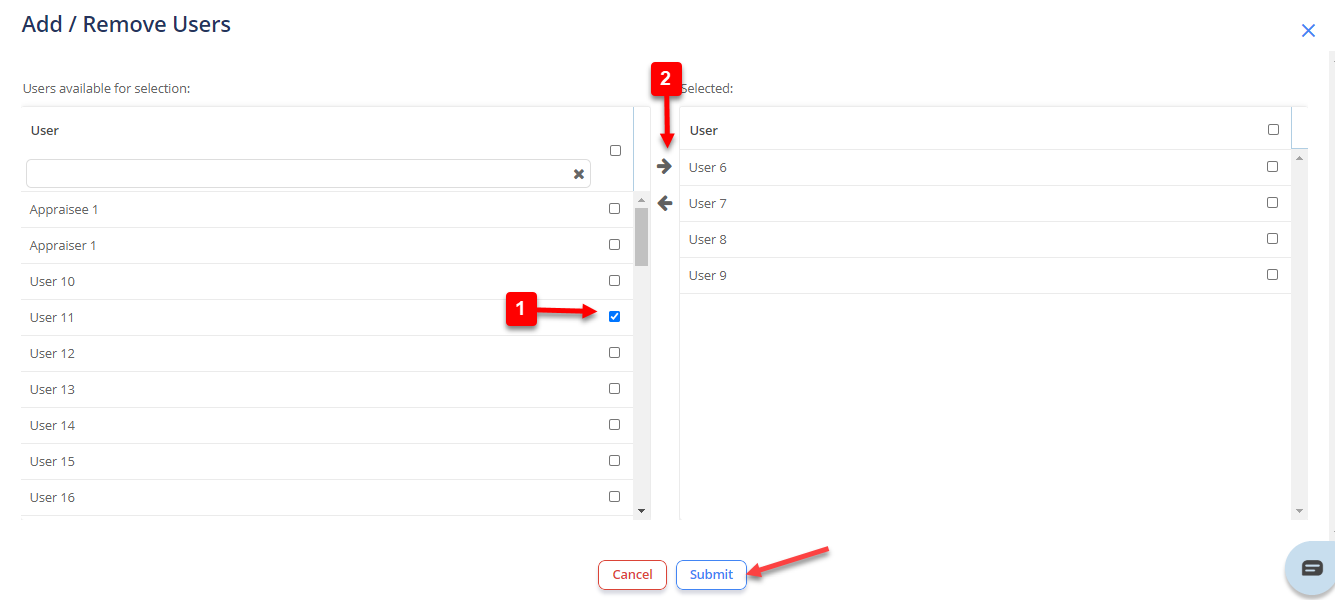
- Click the Manage Users to open the people picker.
- Tick the person(s) you need and select the right facing arrow
- Click Submit
- Amend appraiser settings as required
How to remove someone from a cycle
- Locate the cycle and click People
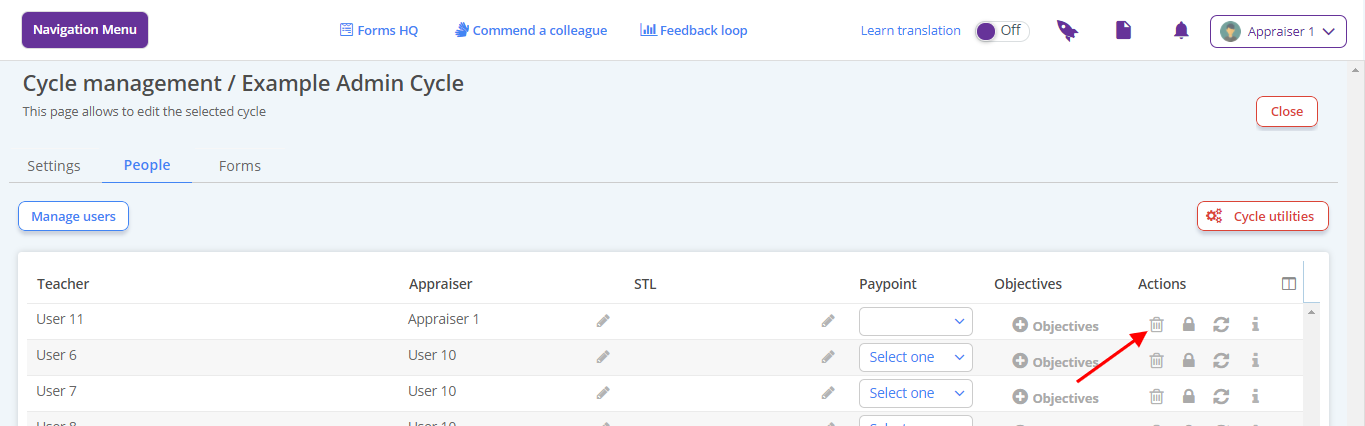
Click the bin button towards the right of the user
Click Yes. The page saves.
How to allocate/change someone’s appraiser
Locate the cycle and click People
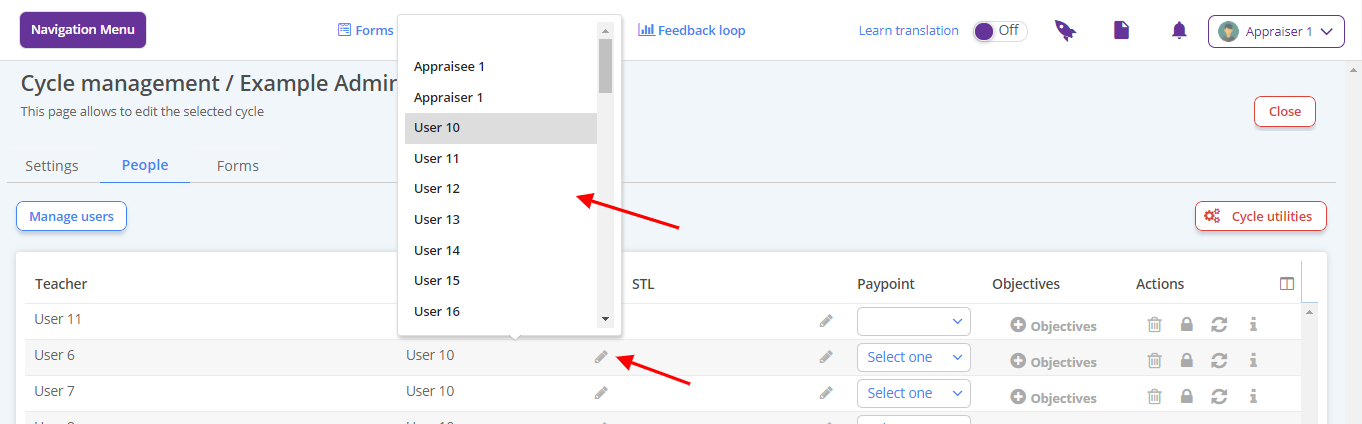
Click the pen in the appraiser column for your chosen colleague and make the change you need. The page autosaves.
How to force close a record
Locate the cycle and click People
The page will list current users and their appraisers
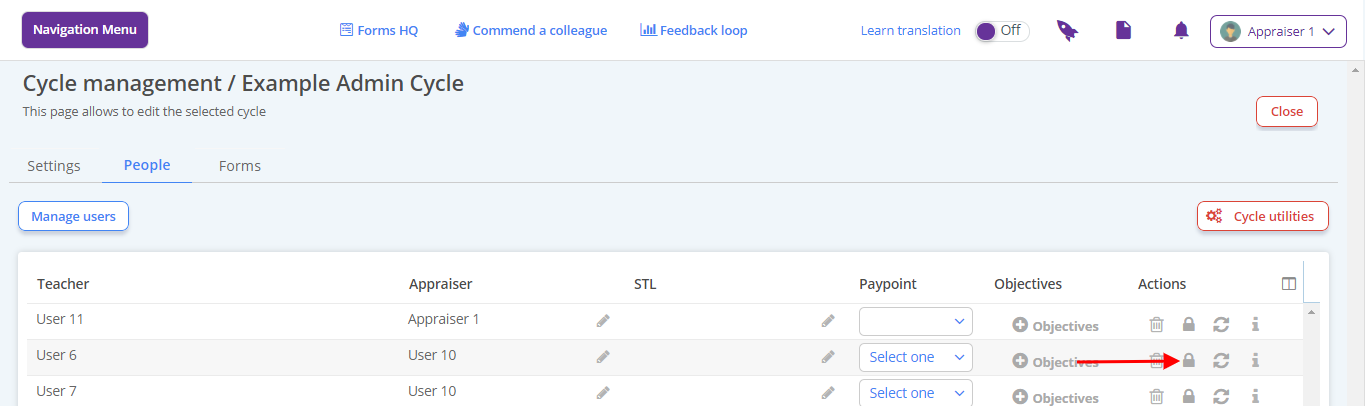
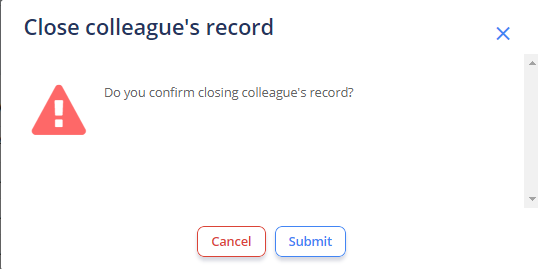
Find the user and click the padlock button to the right (it should be appearing as locked)
Click Submit to confirm. The page saves and the padlock appears unlocked
How to reopen a closed record for a colleague
Locate the cycle and click People
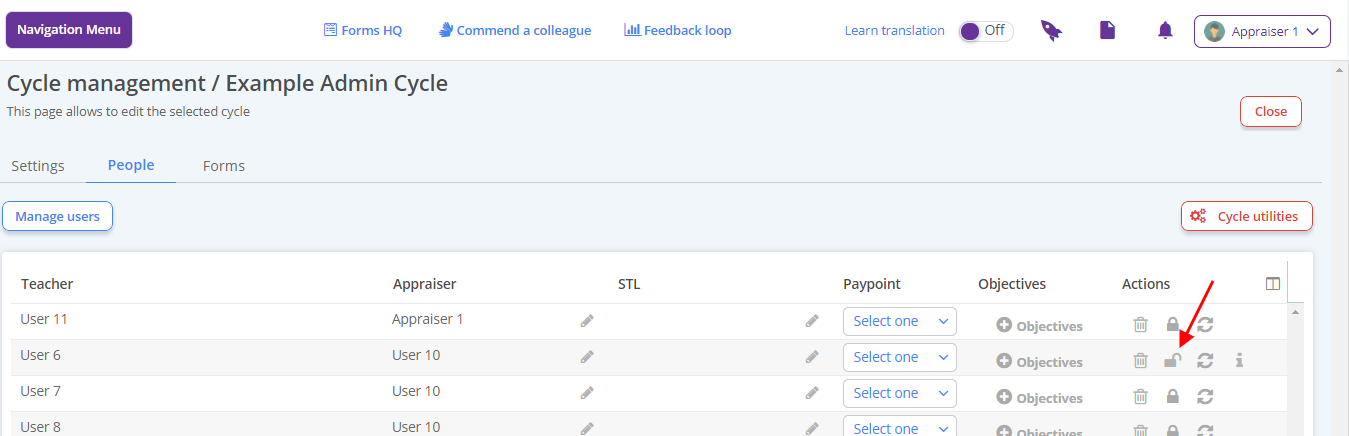
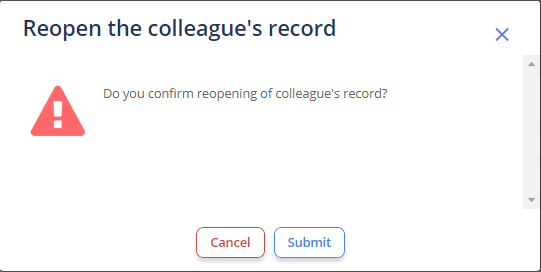
Find the user and click the padlock button to the right (it should be appearing as unlocked)
Click Submit to confirm. The page saves and the padlock appears locked.
How to reset a colleague’s self assessment
Locate the cycle and click People
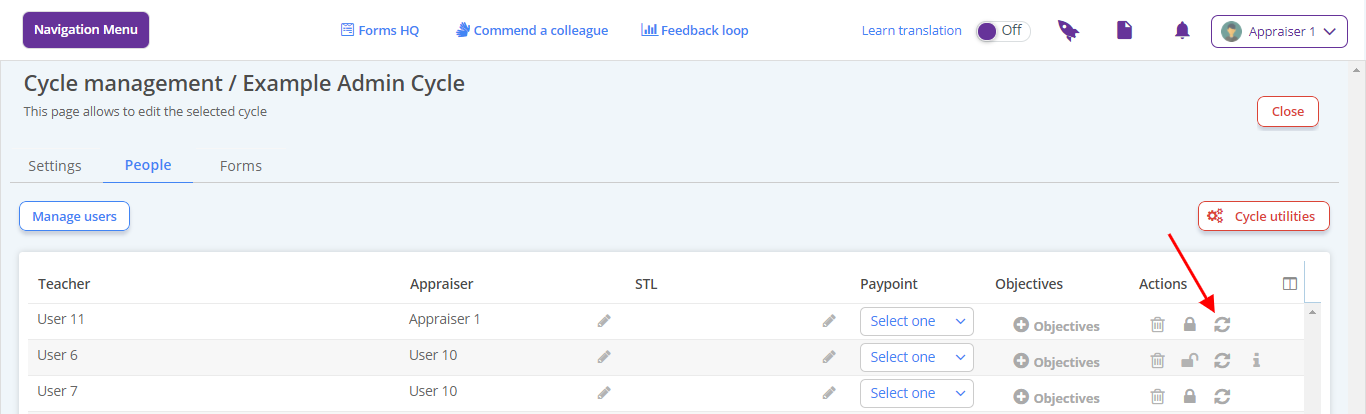
Find the user and click the circular arrow button to the right
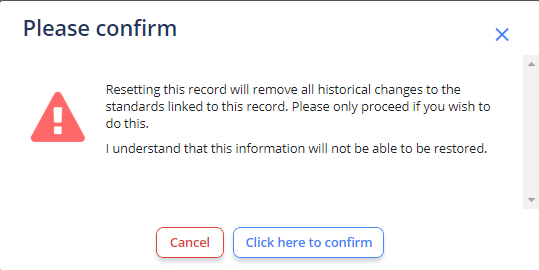
Select Click here to confirm. The page saves.