Navigation Menu / Setup / Advanced Setup / Cycle Access Manager
How to see who has extended access
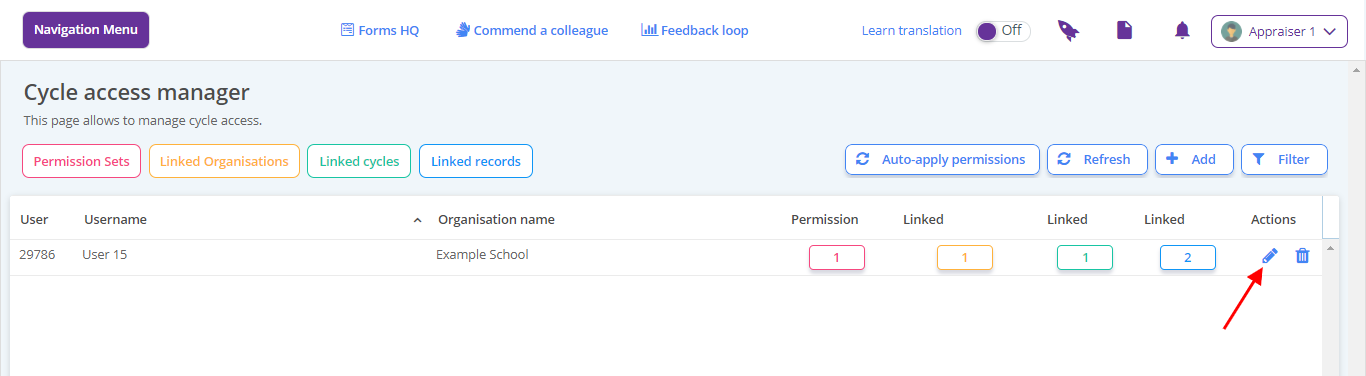
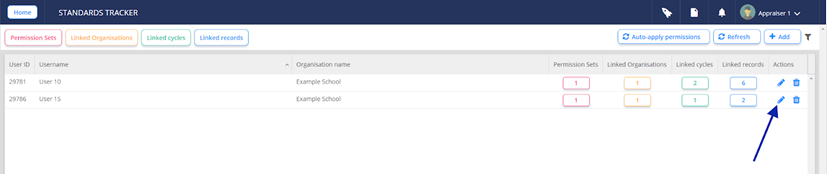
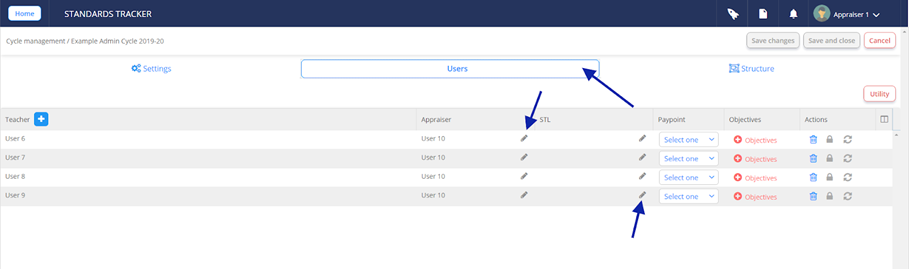
Click the pen icon for details of extended access for a listed user. The screen will display whether access is based on access tag or cycle setting.
How to override extended access (block or add individuals)
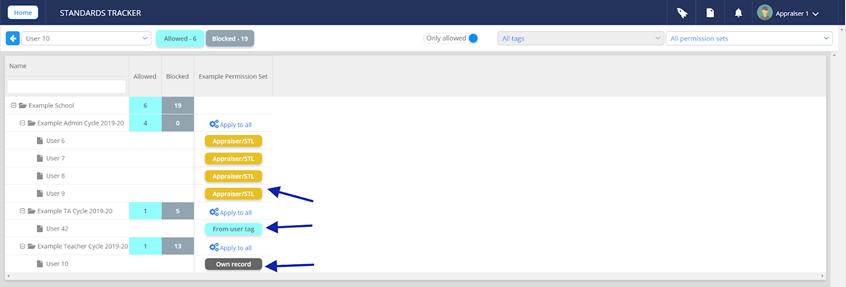
- Click the pen icon for details of extended access for a listed user. The screen will display whether access is based on access tag or cycle setting.
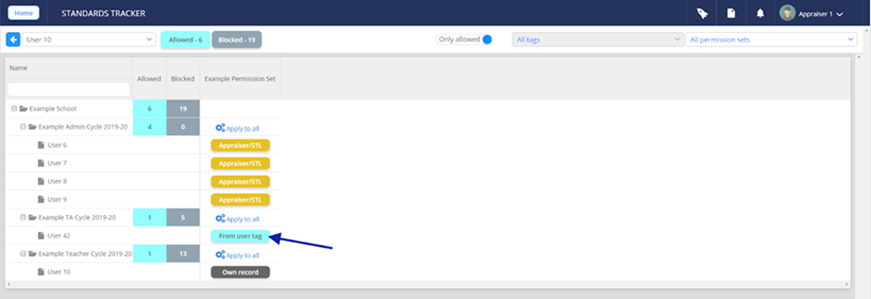
- To block tag access: click the ‘From user tag’ and access will be revoked for the selected user.
How to block access from cycle settings
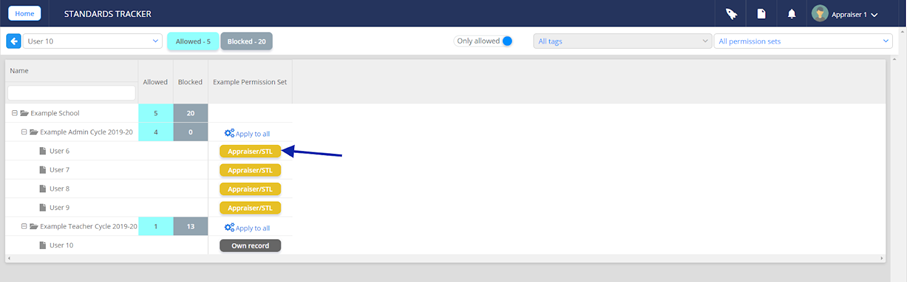
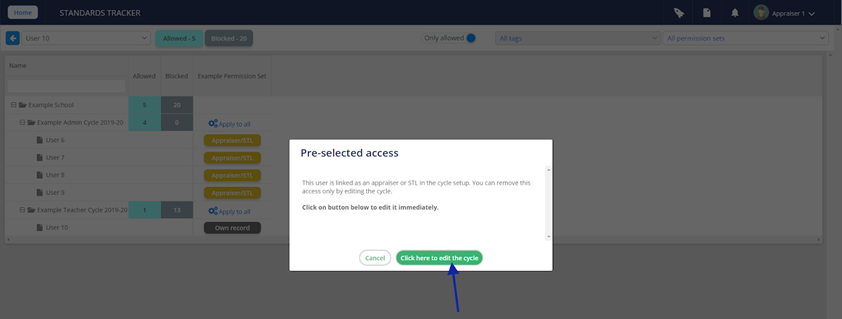
- To block access from the cycle settings. Click ‘Appraiser/STL’ and follow the dialogue box. This will take you to the Cycle Manager page - Click the Users tab and amend appraiser/ STL as required
How to extend access
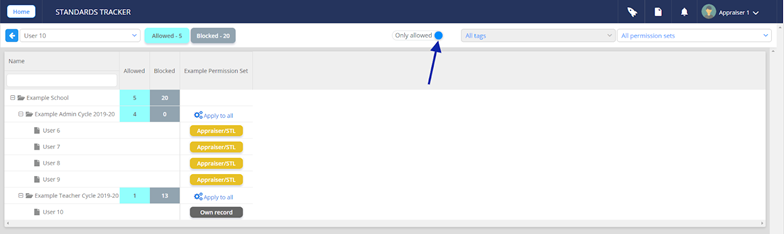
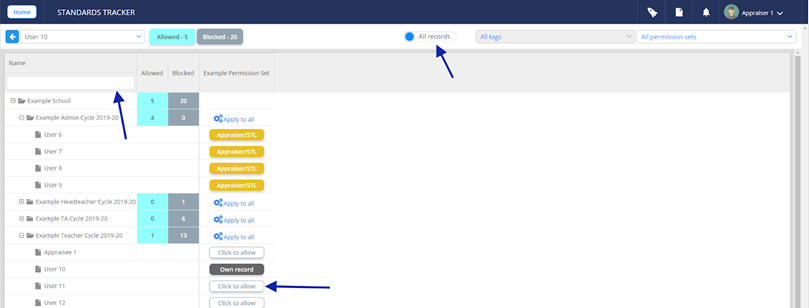
- To extend access, toggle the ‘Only allowed’ switch and use the ‘Click to Allow’ button for the relevant user - the search area may be helpful.
How to fully remove extended access
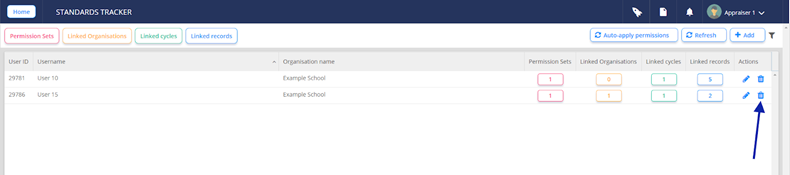
Locate the user and click the bin icon to the very right of the page
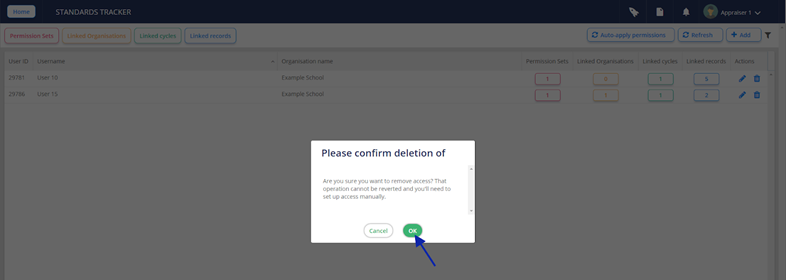
Click OK to confirm the deletion