Navigation Menu / Setup / Simple Setup / Users
Please note - this will not automatically add a user to a cycle, you must do this separately. Please see How to add someone to a cycle
Enter the name in the search bar first to ensure they are not already in the system.
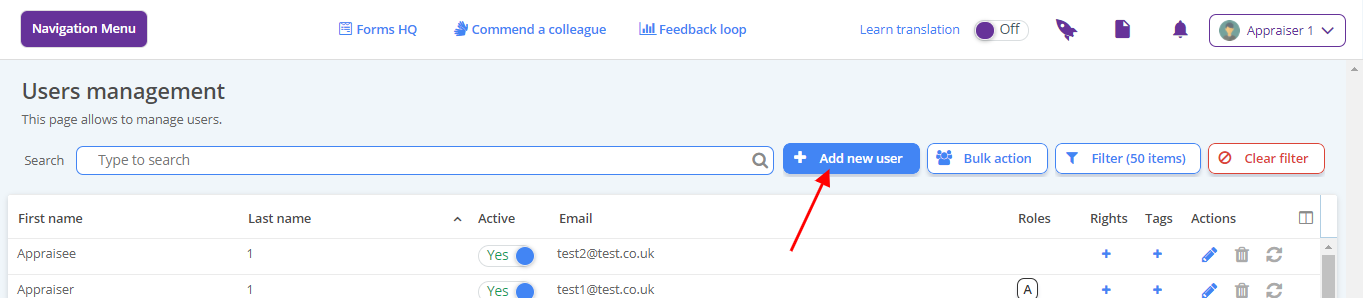
Click the Add new user button top right
Complete the form where first name, second name and abbreviation are required.
Email is optional but advisable
Where the user is a headteacher or nominee, allocate this right at the bottom.
If the user requires administrative rights, allocate this right at the bottom. This action is reserved for true system admin only - colleagues with the conferred admin right cannot pass this right onto others.
Click Save. The new user will appear in the list. To generate login details for this user, please see How to print a user's log in details