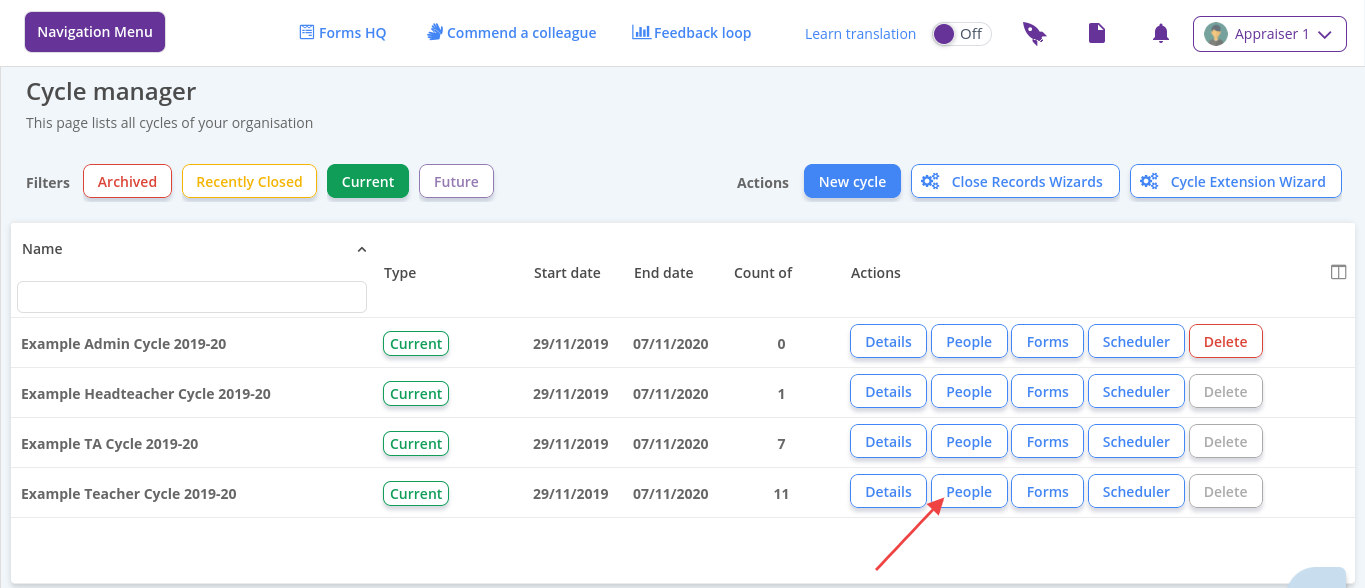
Navigation Menu > Setup > Simple Setup > Cycle Manager
Please note - the user must be added to the system beforehand. Please see How to add a user for help with this.
- Locate the cycle and click the people button
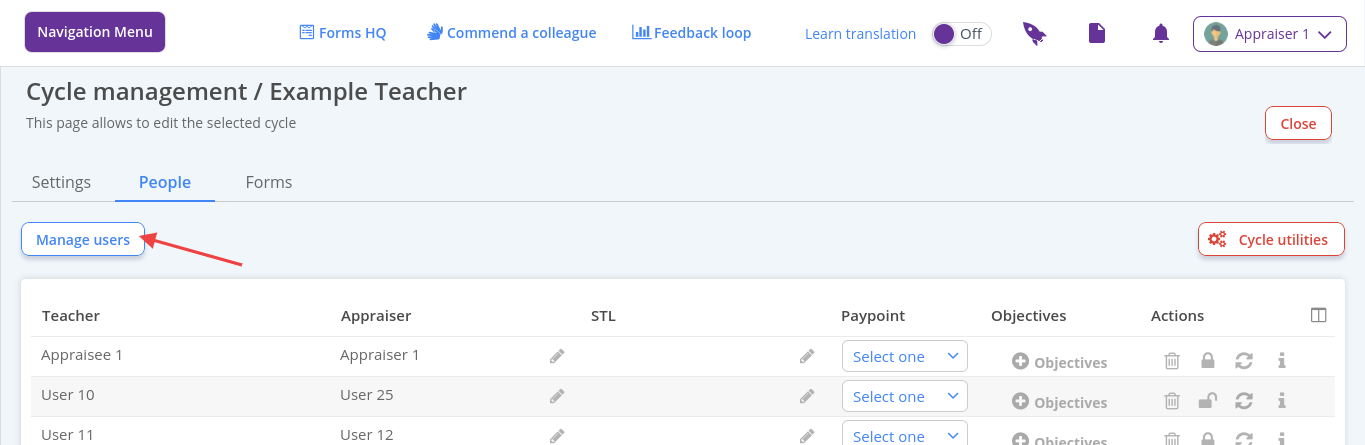
- Click Manage Users to open the people picker.
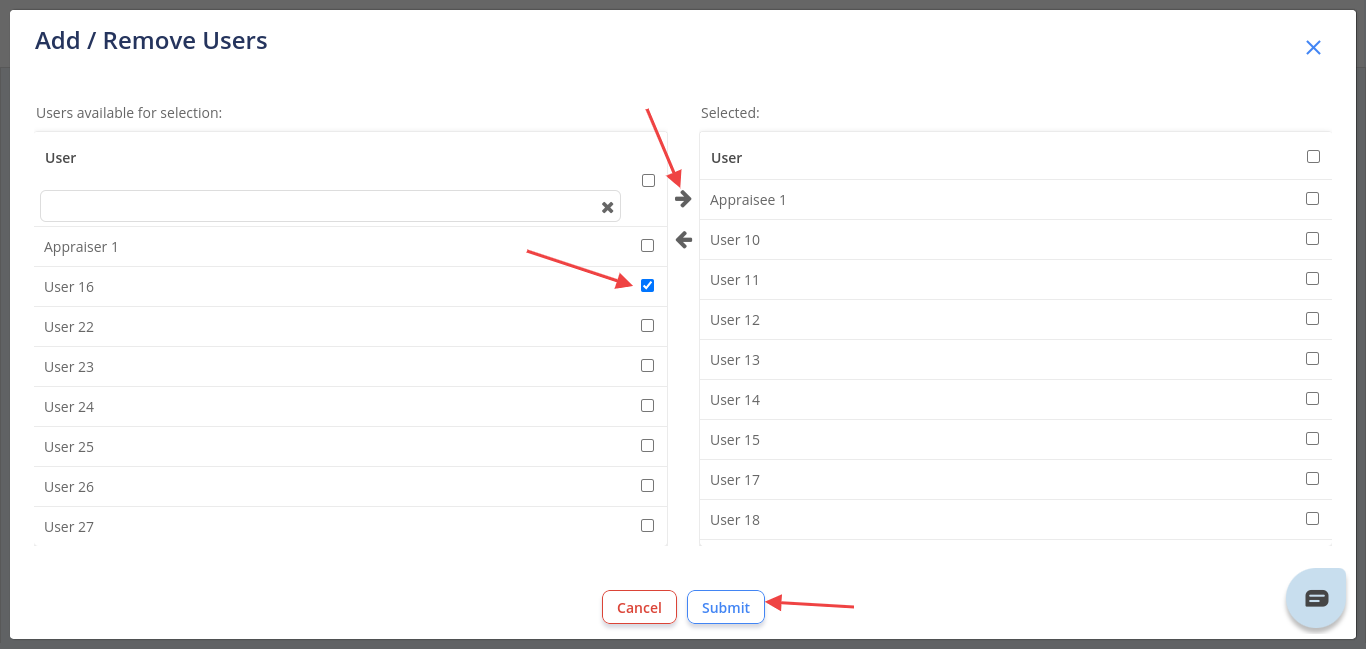
- Tick the person(s) you need and select the right facing arrow
- Click Submit
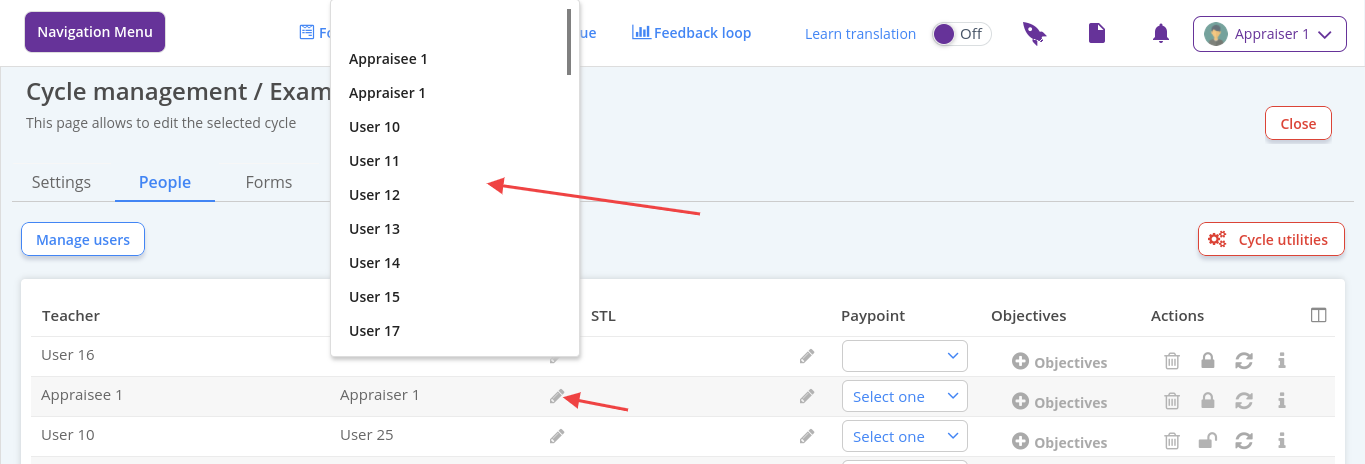
- Amend appraisers by clicking on the pen in the Appraiser column and selecting the relevant user from the list